Mixtape: real music, pretend plastic
Mixtape is my attempt to keep the things I loved about cassette players, while letting a modern phone handle the convenient bits. The reels turn, the cases catch the light, and the track list lives on a handwritten sleeve. Underneath all that pretend plastic is an Android player for the music already on your device.
You can tap straight to a song, listen with the screen off, and use Android’s playback controls. You don’t have to wind a real tape back to the beginning or rescue it with a pencil. I wanted the retro feel, not every inconvenience that came with it.
The cassette test that became an app
A cassette tape sitting in a player had become one of the tests I’d give new models. Could they make something that felt like a real object, rather than just a rectangle with two circles in it?
Fable was the first to do a good enough job with the cassette player and tape design that I actually wanted to use the result. That was the spark for Mixtape. What had been a recurring model test started turning into something I wanted to listen to music with.
The design grew through an HTML and SVG component demo, then became a native Android interface. Keeping the tape, deck, sticker, case and paper insert separate meant they could each have their own character.
Radio sets and stacks of tapes
Once there was a player I liked, other memories started finding their way in. One was the little sets of three songs by an artist that I’d hear on the radio. Mixtape can group an artist’s tracks into those three-song sets and spread them across tapes: enough time to settle into an artist before moving on to someone else. There are other grouping options too, and a choice of how many songs go on each tape.
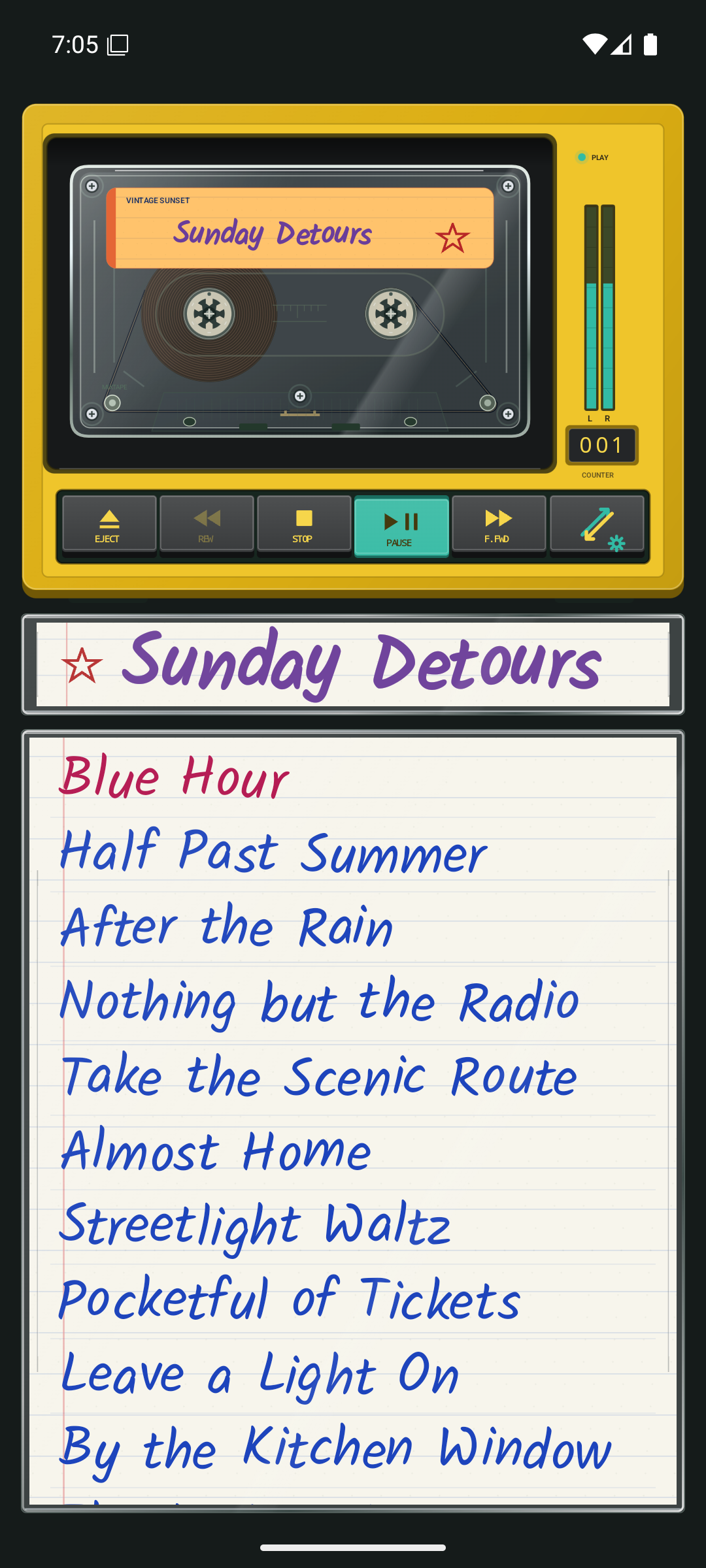
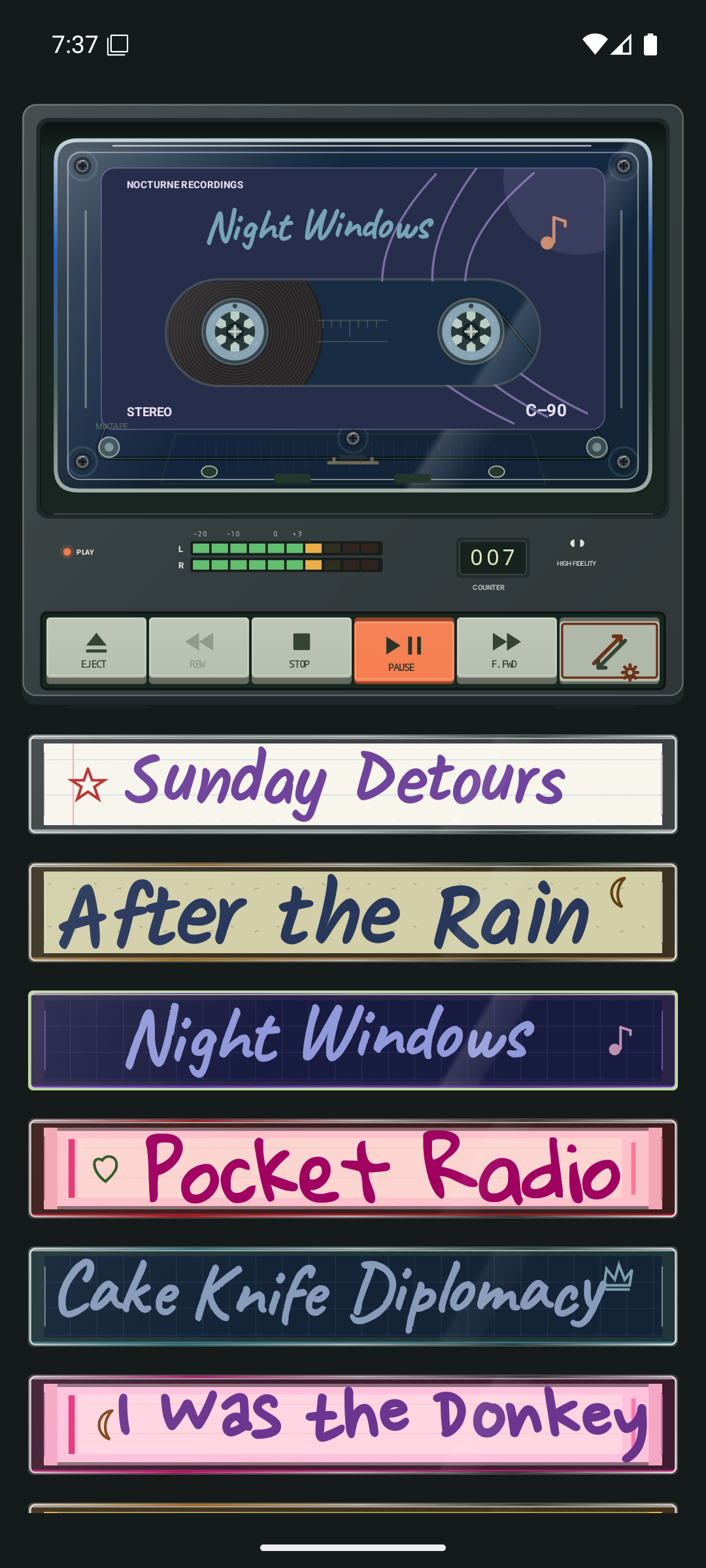
The library itself looks back to stacks of cassette cases. When nothing is playing, you get a page of spines to browse, rather than a player waiting over an empty track list. Pick a tape and its player and sleeve open together.
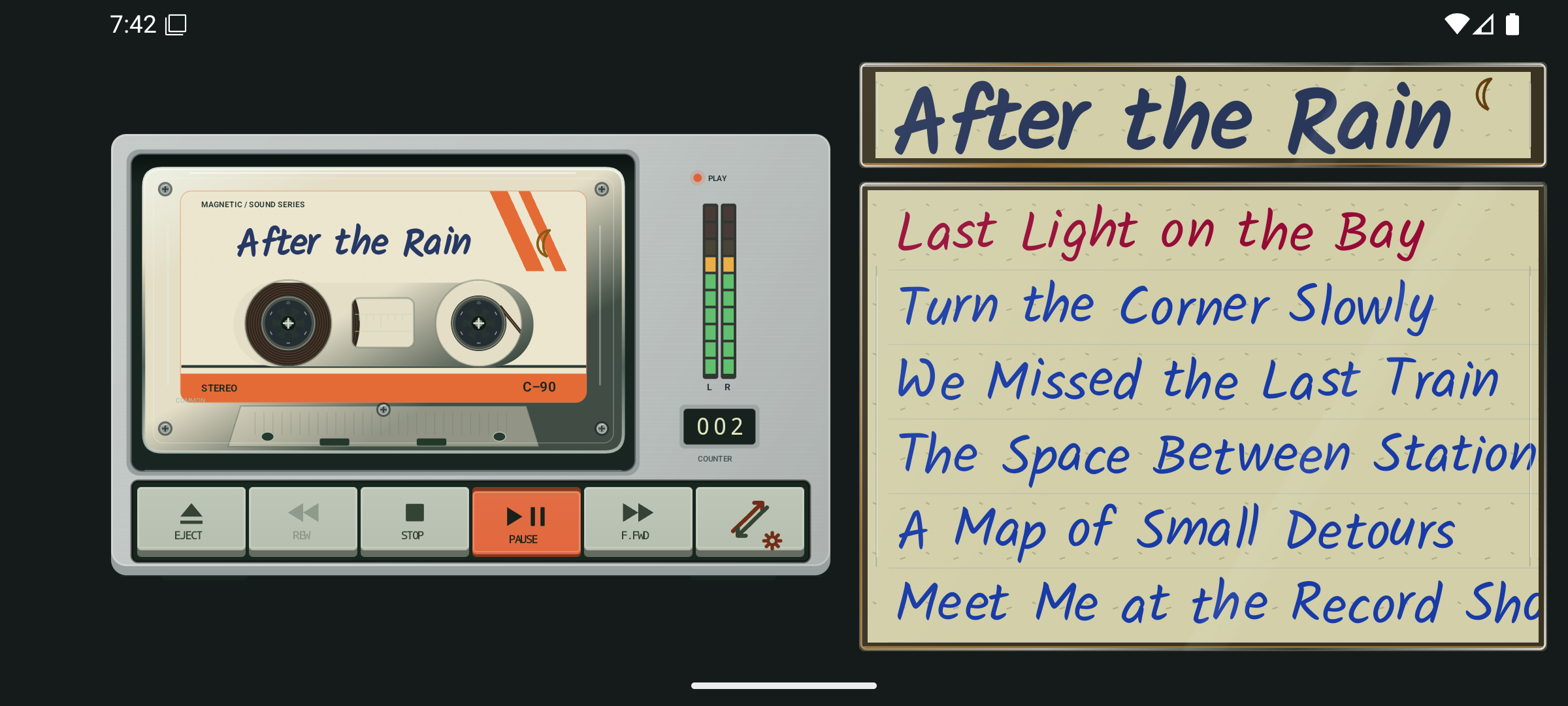
The last button on the deck does two jobs: tap the double-arrow/gear button to toggle between the track list and the mixtape list; long-press that same button to open Settings. On the opening tape stack, the corner gear takes you straight there.
In landscape, the full-page collection becomes two columns. It is still a stack of tapes, just making sensible use of a different-shaped screen.
Paper inside plastic
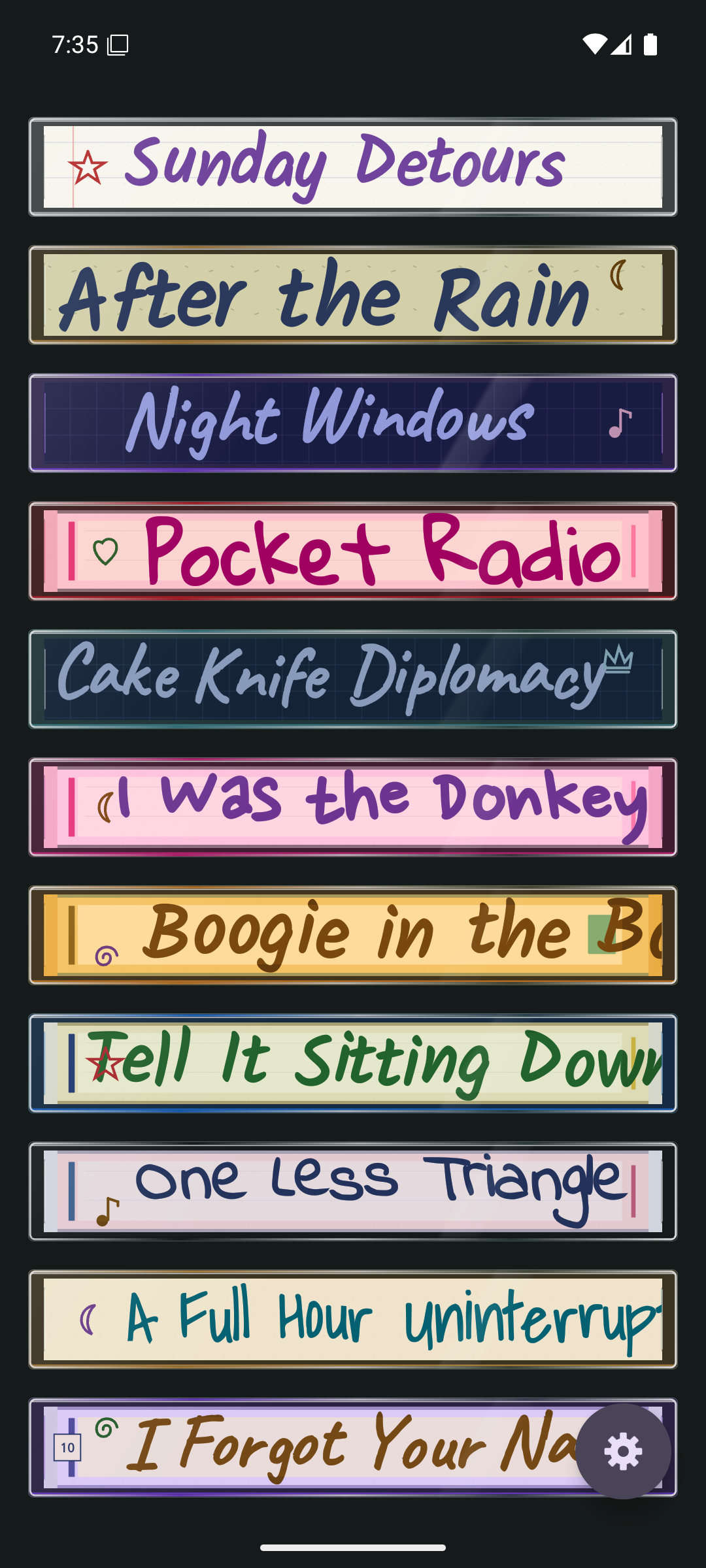
I wanted the track list to feel like the back of a cassette sleeve, not a conventional playlist dropped underneath a decorative player. The spine and back use the same paper design, and both sit behind the same case tint and plastic finish.
There are plain and lined papers, album-style inserts, clear and coloured cases, and tapes with clear or opaque shells. Reflections vary a little between cases so the stack doesn’t look mechanically identical. The open-fronted decks leave the cassette and its moving reels in view, with chunky transport buttons you can actually use.
The modern conveniences are still there. Turn the phone sideways and the player and sleeve sit alongside each other. Long track names can run off to the right; drag the list sideways when you want to read the rest.
For a bit of pruning, long-press a track name to open its menu. Remove from mixtape keeps the music file on your phone; Delete from device asks you to confirm before deleting the file itself.
Listening for the gap
On the Walkmans I used, I’d mash Play and Fast Forward together to hear the tape rushing past the heads. I’d listen for the breaks between tracks, trying to land on that great song somewhere in the middle of a mixtape. It was a very particular way of knowing your music.
I liked that half-recognisable rush enough to include it by default in Mixtape. Fast-forward and rewind use snippets of the actual tracks, with a spin-up, a quick journey through the music, and a spin-down near the destination. Longer jumps take a little longer, up to a cap, rather than squeezing a whole album into an impossible squeak. The winding audio is a little quieter than normal playback.
There is no two-button squeeze required this time. And if you’d rather skip the nostalgia, Fast-forward / rewind sound can be switched off in Settings → Mixtapes → Playback.
The bits that make it yours
Then there are the little imperfections. You start writing a title with a texta, confident it will fit, and discover halfway through that your plan was optimistic. Some Mixtape titles do the same thing: they reach the end of the paper and get cut off, rather than politely turning into an ellipsis.
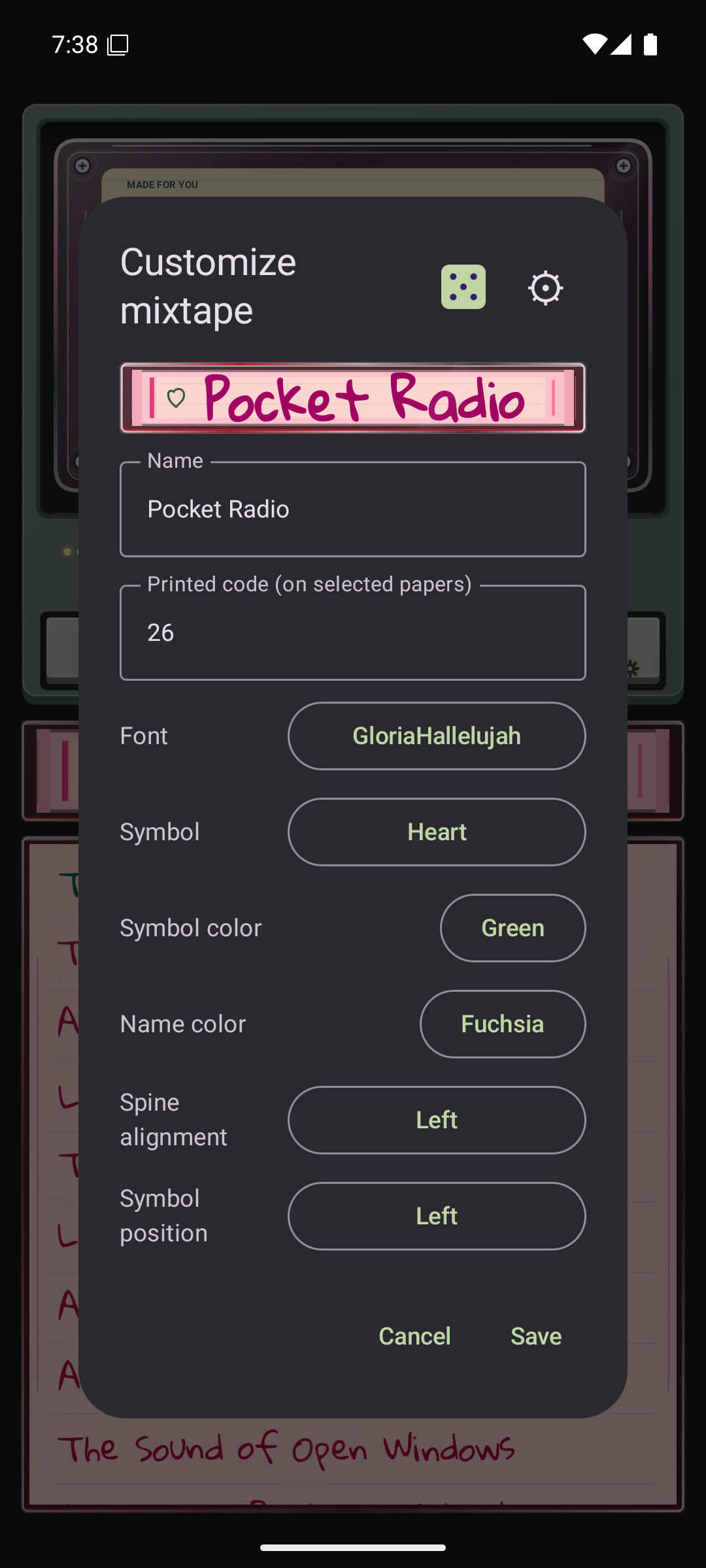
The small hand-drawn symbols matter too. A star, a music note, a little swirl in a different colour; not always in quite the same place. A few sleeves even have those tiny boxed letters or numbers. They help a collection feel like individual tapes somebody has handled and labelled.
To make a tape your own, long-press its spine in the collection to configure its name and appearance. There is also a dice button for trying a fresh combination, with the changes kept in the editor until you Save.
More ideas for the next tape
There are a few things I’d like to explore next:
- Building custom mixtapes with just your favourites.
- An Android Auto interface.
- Searching for tracks or mixtapes.
- A more intuitive way to customise tapes and tracks.
- A home-screen player widget.
Those are future plans, not features to hunt for in the current app.
Mixtape runs on Android 7 or later. The source code is on GitHub if you’d like to look under the plastic or follow along.
For now, put a tape on. No pencil required.